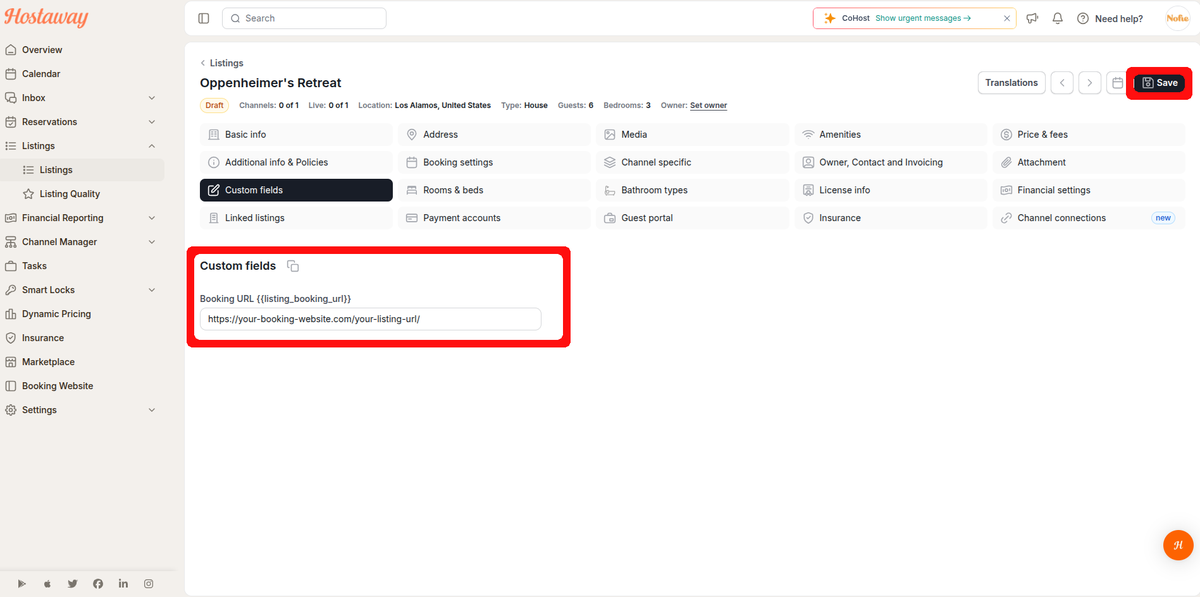
Step 2: Add Booking URL
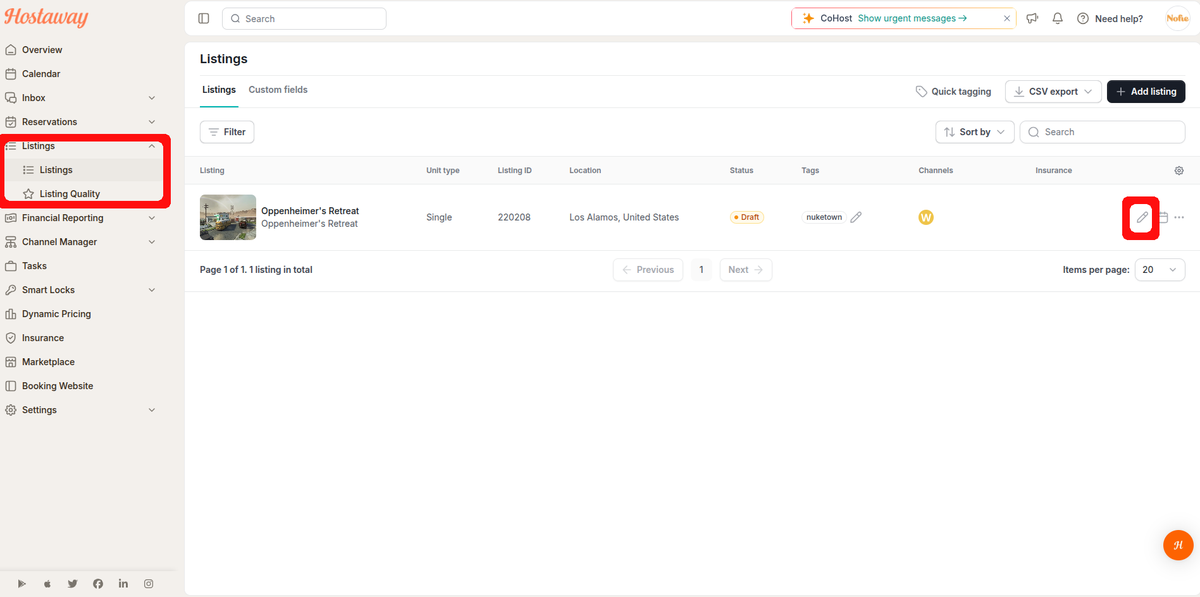
Navigate to the edit tab of each of your listings, one at a time.
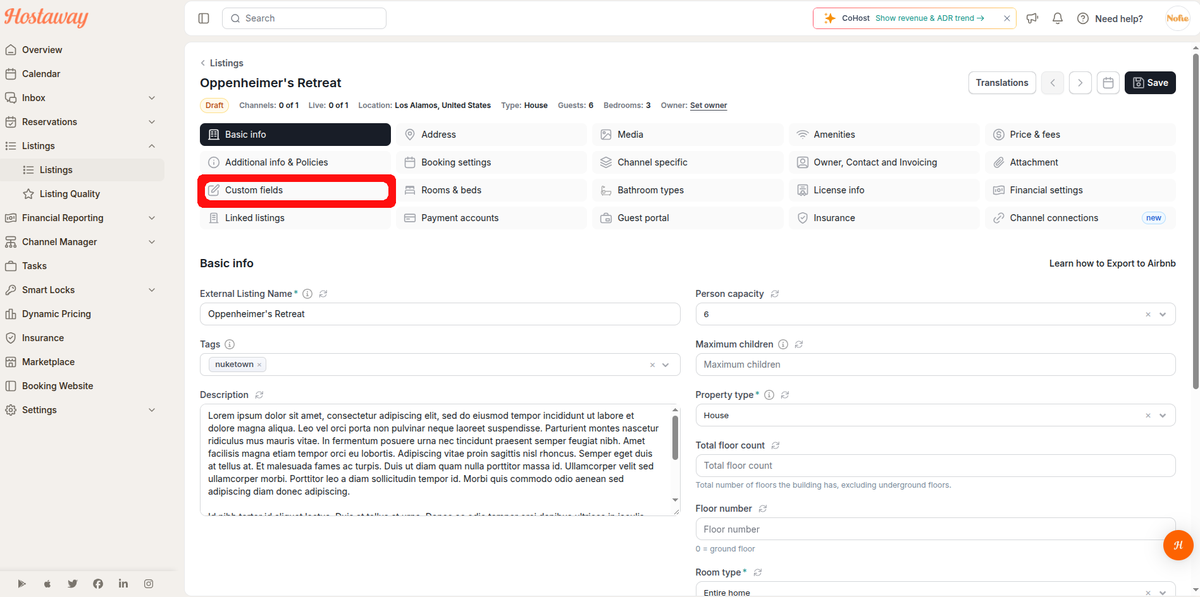
Click on the Custom Fields button under each of your listings
You’ll now see the new “Booking URL” field, which has nothing in it. Now, add the full URL that your guests can use to book the listing, and save it (including the "https://").